ICANotes remains a leading behavioral health EHR built specifically for psychiatrists, therapists, and counselors nationwide. Founded in 1999, the platform serves solo clinicians through large multi-provider behavioral health organizations.
In January 2026, Sheridan Capital Partners completed its official private equity investment in the ICANotes platform. This ownership change reshapes ICANotes’ funding, roadmap, and long-term product direction meaningfully going forward.

ICANotes combines billing, scheduling, patient engagement, and telehealth tools inside a single unified platform. The platform also offers AI-powered documentation tools introduced through recent official product updates released in 2026. This guide breaks down every ICANotes feature, module, and add-on for practices.
What Are ICANotes’ Features And How Is The Platform Organized?
ICANotes EHR features are organized around five core areas: documentation, billing, scheduling, engagement, and AI. Each module activates based on a practice’s specialty, size, and daily clinical workflow and documentation requirements.
Core Platform Structure
ICANotes is purpose-built specifically for psychiatry, therapy, and counseling practices nationwide today, unlike general medical EHRs. The charting engine is menu-driven, reducing free-text typing during most clinical sessions across every visit.
Billing and revenue cycle tools live inside the same clinical documentation system, not a separate platform. Compliance tools are purpose-built for behavioral health, including 42 CFR Part 2 protections for substance-use records.
ICANotes Ownership Update (2026)
Sheridan Capital Partners officially completed its investment in ICANotes during January 2026, per its official announcement. This backing signals continued investment in ICANotes’ core EHR and PM platform, alongside expanded product capabilities. This investment will likely speed up ICANotes+ reaching full feature parity with Classic sometime soon.
What Clinical Documentation Features Does ICANotes Include?
ICANotes clinical documentation features focus on fast, structured charting built for behavioral health providers.
| Documentation Feature | What It Does |
|---|---|
| Menu-Driven Content Engine | Over 75,000 clinically validated phrases let clinicians build notes by selecting, not typing |
| Self-Coding Engine | Suggests E/M coding levels automatically based on documented note content |
| SOAP and DAP Templates | Pre-built psychotherapy note formats for therapy, counseling, and psychiatric sessions |
| DSM-5 and ICD-10 Integration | Diagnosis and treatment planning screens link directly to current coding standards |
| ASAM and PRP Templates | Specialty assessments built for substance-use treatment and psychiatric rehabilitation programs |
| 42 CFR Part 2 Support | Adds confidentiality protections required specifically for substance-use treatment records |
| Linked Treatment Plans | Progress notes, assessments, and treatment plans stay connected for continuity of care |
This structured approach keeps documentation audit-ready across most behavioral health payer and regulatory requirements.
What Practice Management and Scheduling Features Come With ICANotes?
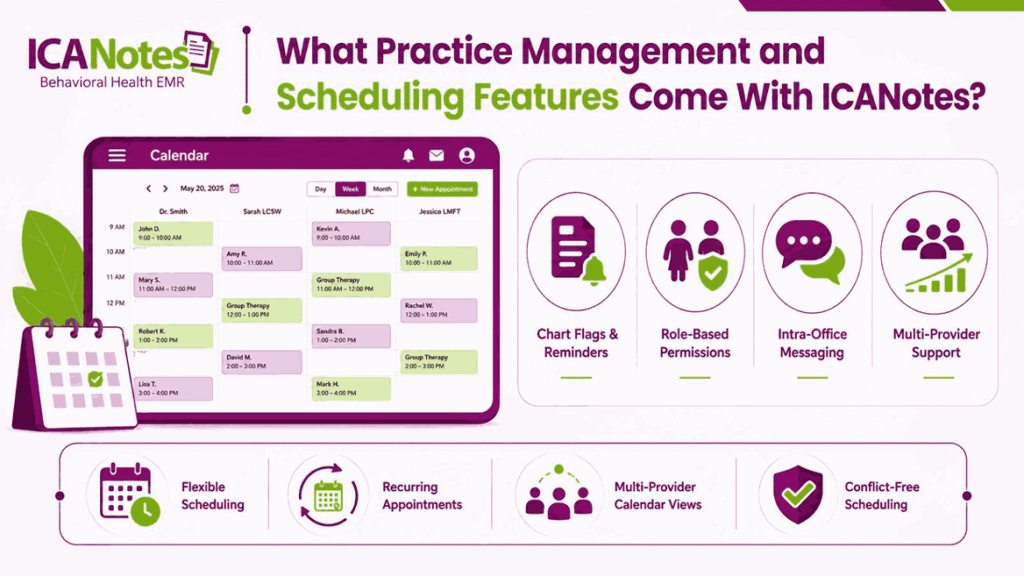
ICANotes practice management features keep scheduling, staff coordination, and daily administrative tasks fully unified together. This avoids juggling separate calendar, messaging, and chart-tracking tools across many different clinic systems.
ICANotes scheduling supports flexible session lengths, recurring appointments, and multi-provider calendar views across the entire practice. Group practices can manage several clinicians’ caseloads without any scheduling conflicts, overlaps, or double bookings occurring.
Beyond scheduling, ICANotes practice management tools also cover several other important daily administrative workflow needs:
- Chart flags and reminders for missing signatures, overdue notes, or pending follow-ups
- Team-based, role-specific permissions for clinicians, billers, and front-office staff
- Intra-office messaging tied directly to individual patient charts
- Multi-provider support that scales chart access as a practice grows
These features are meant to reduce administrative back-and-forth that usually falls on busy front-office staff members. Clinical and non-clinical teams stay fully aligned inside one shared behavioral health EHR workflow system.
What Billing and Claims Features Drive Revenue in ICANotes?
ICANotes billing features live inside the same platform as clinical documentation and charting. This connection removes double data entry between session notes and billing tasks. Revenue moves through ICANotes in a connected sequence, starting the moment a note closes:
- Self-coding pulls E/M levels automatically from the clinical documentation just completed.
- Eligibility checks run through an integrated clearinghouse before claims ever get submitted.
- Claim scrubbing flags coding or formatting errors before submission, reducing avoidable payer denials.
- ERA posting applies electronic remittance advice automatically once payers process the claim.
- Aging reports track outstanding balances across payers and individual patients afterward.
Kno2 direct messaging supports secure clinical data exchange with outside providers and referral sources. Batch patient statements also generate and send multiple invoices at once.
Both features currently remain tied primarily to ICANotes Classic rather than ICANotes+. For a full breakdown of CPT codes, claims workflows, and denial management, see our ICANotes billing guide.
What AI Features Does ICANotes Offer in 2026?
ICANotes expanded its AI capabilities in 2026, adding tools built specifically for clinical documentation. These features target time spent charting, a common complaint among behavioral health providers:
AI Scribe
AI Scribe listens during sessions and drafts clinical notes in real time. Unlike scribes that store raw transcripts, ICANotes processes audio without retaining it afterward. This privacy-first, no-retention design reduces liability risk tied to session recordings.
AI Readability Enhancement
AI Readability Enhancement rewrites menu-generated notes into more natural, narrative-style clinical language. This addresses a common criticism that template-based notes read as robotic. Clinicians can toggle this feature on notes needing a more polished tone.
Both tools sit on top of ICANotes’ existing content engine rather than replacing it. This keeps AI-assisted documentation, self-coding, and compliance tools working from one connected system.
What Patient Engagement Features Are Included?
ICANotes patient engagement features help practices communicate with patients outside scheduled clinical sessions. These tools support intake, scheduling communication, and secure ongoing patient interaction across the care journey.
Patient Portal
The patient portal lets patients view appointments, session forms, and billing balances from any connected device. Patients can update their own demographic information without calling the front office, reducing routine phone calls. This reduces staff workload while keeping patient records accurate between scheduled clinical visits throughout the year.
Telehealth
ICANotes includes built-in telehealth for conducting secure virtual therapy and psychiatric sessions directly inside the platform. Sessions connect directly to the patient’s chart for streamlined documentation during and after each visit. This is priced as a standard add-on rather than a default plan feature, so confirm pricing.
Secure Messaging and Intake Forms
ICANotes also supports secure messaging between patients and clinicians, replacing unsecured email communication entirely across visits. Digital intake forms collect history and consent before a patient’s first appointment. Completed forms route directly into the patient’s chart without manual staff entry to save valuable front-office time.
Which ICANotes Features Are Add-Ons Rather Than Standard?
Not every ICANotes feature ships free with the base subscription. Several tools carry separate fees, and confirming these costs upfront helps practices budget accurately before signing a contract.
| Add-On Feature | Approximate Cost |
|---|---|
| Activation Fee | $99 one-time setup charge |
| AI Scribe | $49 per month, per provider |
| Telehealth | $20 per month, per provider |
| Non-Clinical User Seats | Priced per seat, separate from clinician pricing |
| Additional Reminders | Priced separately from base scheduling tools |
These ICANotes add-on costs sit on top of base subscription pricing, which typically ranges between $35 and $213 monthly depending on the selected plan. Practices should request an itemized quote covering both standard features and any required add-ons before committing to a specific plan.
What Integrations Does ICANotes Support?
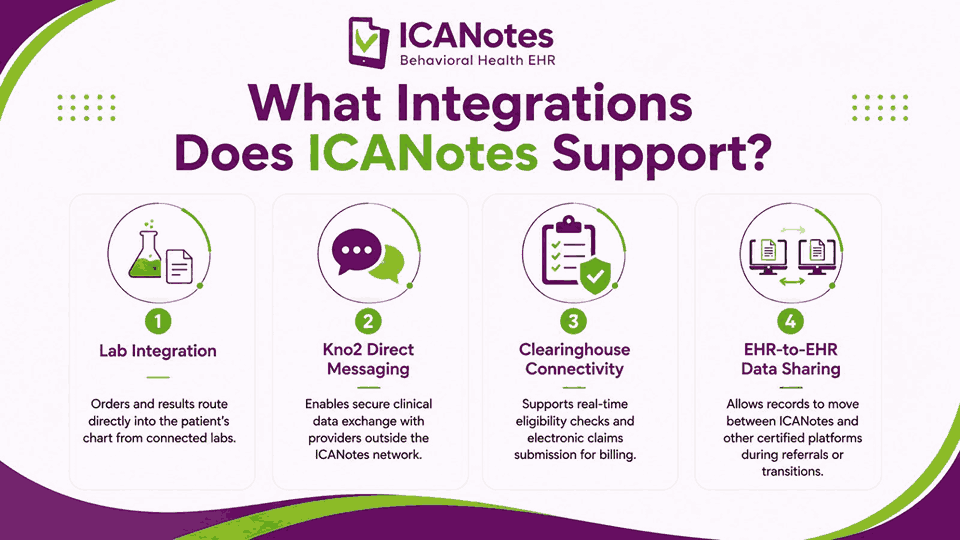
ICANotes connects with outside systems to keep data moving without manual re-entry across separate platforms. These integrations extend the EHR beyond its own walls, linking clinical, billing, and referral data together.
- Lab Integration: Orders and results route directly into the patient’s chart from connected labs.
- Kno2 Direct Messaging: Enables secure clinical data exchange with providers outside the ICANotes network.
- Clearinghouse Connectivity: Supports real-time eligibility checks and electronic claims submission for billing.
- EHR-to-EHR Data Sharing: Allows records to move between ICANotes and other certified platforms during referrals or transitions.
Compared to broader interoperability suites offered by larger EHR vendors, ICANotes integrations lean toward behavioral-health-specific data exchange rather than a wide-open API ecosystem.
How Do ICANotes Features Compare to Valant, TherapyNotes, and SimplePractice?
ICANotes competes directly with Valant, TherapyNotes, and SimplePractice for behavioral health EHR market share. Each platform takes a different approach to documentation, pricing, and specialty focus.
| Feature Area | ICANotes | Valant | TherapyNotes | SimplePractice |
|---|---|---|---|---|
| Documentation Style | Menu-driven content engine | Structured templates with some narrative | Narrative-first note writing | Narrative-first note writing |
| AI Scribe | Yes, no-retention design | Yes, available as add-on | Limited AI features | Yes, available as add-on |
| Built-In Billing | Yes, fully integrated | Yes, fully integrated | Limited, add-on required | Limited, add-on required |
| Psychiatry/EPCS Support | Yes, strong prescriber focus | Yes, strong prescriber focus | Therapy-focused, limited | Therapy-focused, limited |
| Best Fit | Psychiatry and multi-specialty practices | Mid-size psychiatric groups | Solo and small therapy practices | Solo and small therapy practices |
ICANotes’ biggest differentiator is speed: its content engine builds detailed notes faster than narrative-first competitors. This makes it a stronger fit for prescribers and high-volume psychiatric practices specifically.
Which Practice Sizes and Specialties Is ICANotes Built For?
ICANotes fits a range of practice sizes, from solo clinicians to large multi-provider organizations. Its feature set leans heavily toward prescriber-focused specialties rather than general therapy practices.
- Solo Practitioners: Psychiatrists and therapists who need fast charting without extra administrative staff
- Group Practices: Multi-provider clinics that need shared scheduling, role-based permissions, and team messaging
- Psychiatric Practices: Prescribers who rely on EPCS, medication management, and detailed clinical documentation
- Substance-Use Treatment Programs: Providers who need 42 CFR Part 2 compliance and ASAM-specific templates
- Enterprise Behavioral Health Organizations: Larger networks needing multi-provider billing, reporting, and chart oversight
ICANotes is less suited to general medical practices or specialties outside behavioral health. Its strongest fit remains psychiatry, psychotherapy, counseling, and substance-use treatment across most practice sizes.
How Does Transcure Support Practices Running ICANotes?
Running ICANotes doesn’t remove every billing challenge a behavioral health practice faces daily. Denials, eligibility gaps, and staffing shortages still affect revenue even inside a connected EHR system. This is where Transcure’s ICANotes billing services step in to close that gap.
Claims Management
Transcure‘s billing team works directly inside ICANotes to submit and track claims. This keeps claim follow-up consistent without adding extra administrative work for clinical staff.
Denial Management
Our experts identify denial patterns specific to behavioral health payers before they repeat. Claims get corrected and resubmitted quickly to protect revenue that would otherwise stay unpaid.
Eligibility Verification
Coverage gets confirmed before appointments, reducing claim rejections tied to eligibility errors. This lowers denials caused by inactive coverage or mismatched patient insurance details.
Credentialing Support
Transcure helps psychiatrists, therapists, and counselors get enrolled with payers faster. Faster credentialing means providers can start billing sooner after joining a practice.
Dedicated Account Management
Practices get a direct point of contact familiar with ICANotes workflows specifically. This reduces miscommunication and speeds up resolution for billing or claims questions.
Frequently Asked Questions
Is ICANotes ONC-certified?
Yes, ICANotes is ONC-certified under the 2015 Cures Update Edition, meeting federal interoperability and quality standards. This certification also supports MIPS quality reporting requirements for behavioral health practices participating in payment programs.
Does ICANotes Support EPCS?
Yes, ICANotes includes integrated EPCS meeting DEA 21 CFR Part 1311 rules for controlled substance prescribing. It also integrates PDMP checks directly into the prescribing workflow, connecting to Surescripts for pharmacy routing.
What’s the Real Monthly Cost of ICANotes?
ICANotes pricing ranges from $35 to $213 monthly, based on clinician type and prescribing status overall. Add-ons like AI Scribe and telehealth raise the total monthly cost, so confirm pricing before signing.
What’s the Difference Between ICANotes Classic and ICANotes+?
ICANotes Classic still runs most day-to-day clinical and billing workflows today, including several specialty-specific documentation tools. ICANotes+ is newer but still lacks full Classic feature parity, so confirm before switching versions.