Billing behavioral health claims looks nothing like billing for a typical medical office visit today. A practicing psychiatrist founded ICANotes back in 1999, focusing exclusively on behavioral health practices. According to Capterra, ICANotes pricing ranges from $35 to $213 or more monthly, based on the plan.
The platform is fully ONC Cures Certified and integrates clinical documentation directly with claims generation. Behavioral health EMR billing involves complex time-based CPT codes rarely used across general medical practices.
Substance-use practices must also follow strict 42 CFR Part 2 confidentiality rules carefully on every claim. This guide breaks down exactly how ICANotes handles coding, claims, and denial management for busy practices.

What Is ICANotes?
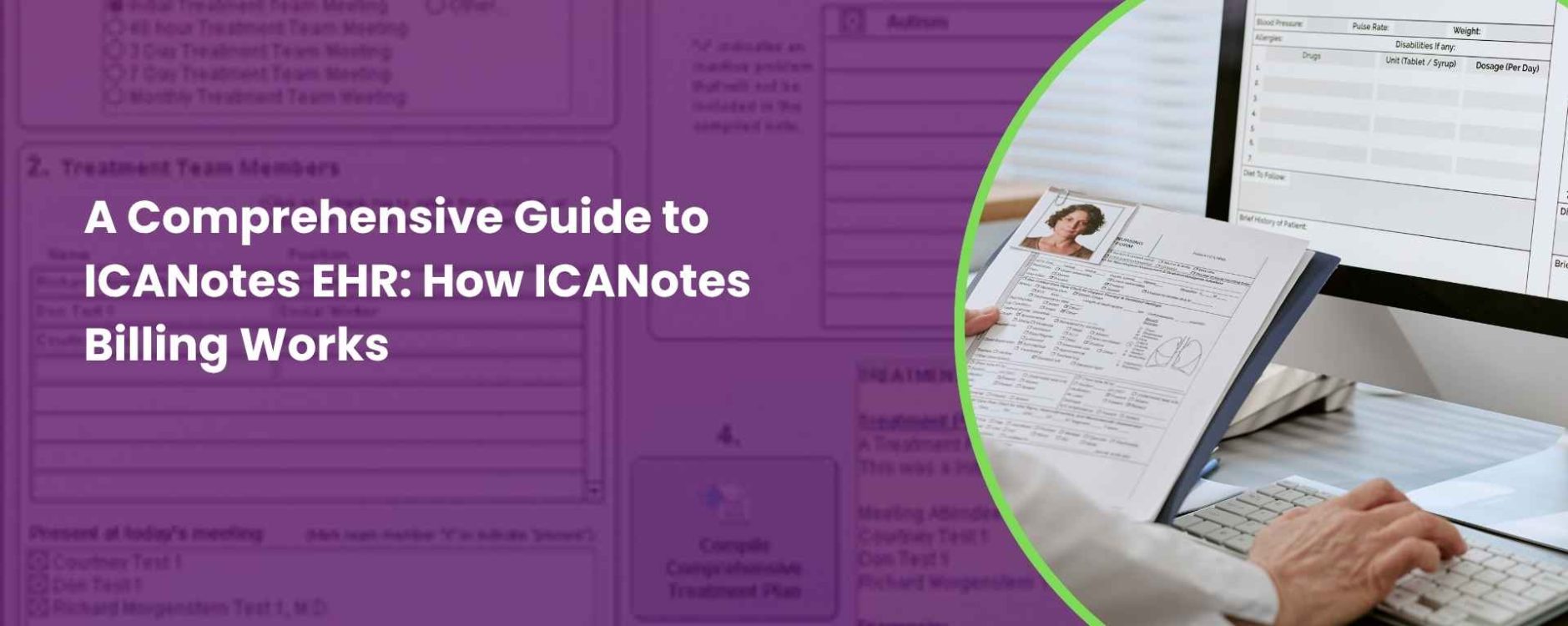
ICANotes is a specialized behavioral health EHR, founded in 1999, designed exclusively for mental health and psychiatry practices. Unlike general medical systems, this mental health EHR supports psychiatry, therapy, and substance-use treatment programs.
The platform includes narrative-style documentation, e-prescribing, telehealth, scheduling, and fully integrated billing tools. ICANotes also holds ONC Cures Edition certification, which supports secure clinical documentation and electronic health information exchange. Clinicians use this EHR for therapists to chart faster through point-and-click templates.
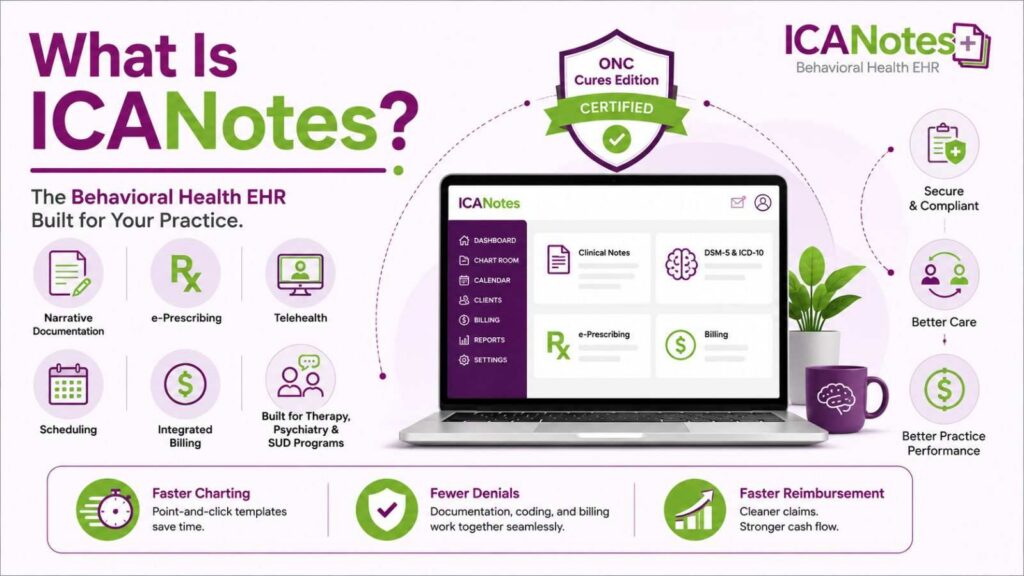
These templates generate detailed narrative notes aligned closely with DSM-5 and ICD-10 standards. Because documentation, coding, and billing stay connected, practices reduce claim denials and speed up reimbursement. This behavioral health EHR remains a trusted choice among psychiatrists, therapists, and substance-use treatment programs nationwide.
What Are the Core Features of ICANotes EHR?
ICANotes offers a focused set of tools built specifically for behavioral health documentation and billing needs. Each core feature works together to help clinicians chart faster while supporting accurate claims. Here’s a quick breakdown of what this behavioral health EHR includes:
- Narrative Documentation Engine: This menu-driven charting tool generates detailed, audit-ready clinical notes within just minutes.
- E-Prescribing: Clinicians securely prescribe medications, including controlled substances, directly through this integrated psychiatric EHR system.
- Telehealth: Built-in video conferencing supports secure virtual sessions for individual, group, and couples therapy.
- Patient Portal: Clients can schedule appointments, view statements, and message providers through this secure portal.
- Integrated Billing: Claims generate automatically from completed notes, connecting documentation directly to reimbursement workflows.
- Scheduling Tools: This mental health scheduling system supports variable session lengths across different clinician types.
- Rating Scales: Standardized assessment tools convert client responses into structured, narrative progress note documentation.
- AI Scribe: This optional feature drafts narrative notes automatically from structured menu selections during sessions.
What Are the Main Billing Feature Differences of ICANotes+ vs. ICANotes Classic?
ICANotes now runs two active platforms, and their billing tools differ in several important ways. Practices choosing between ICANotes+ and ICANotes Classic should understand these billing feature differences before switching. The table below breaks down each platform’s core billing capabilities side by side:
| Billing Feature | ICANotes+ | ICANotes Classic |
|---|---|---|
| Claims Submission & ERA Auto-Posting | Included | Included |
| Eligibility Verification | Included | Included |
| Client Portal Payments | Stored cards, self-service payments | Not available |
| Automated Billing Reports | Continuously updated reporting | Standard reporting only |
| E/M Coding Automation | Not yet available | Available |
| Batch Patient Statements | Not yet available | Customizable batch statements |
| Direct Messaging (Kno2) | Not yet available | Available |
| Google Calendar Sync | Available | Not available |
How the ICANotes Billing Report Turns Notes into Claims?
ICANotes ties clinical documentation directly to claim creation, so billing starts the moment charting does. Here’s how a completed note actually becomes a submitted claim inside ICANotes.
Step 1. A Claim Generates Automatically at Note Creation
A claim entry appears in the ICANotes Billing Report as soon as a clinician creates a note. Billing staff cannot submit that claim until the clinician actually starts documenting the encounter.
Step 2. Billers Pull the Billing/Productivity Report
Billing staff open the Reports menu and select the Billing/Productivity Report to retrieve pending claims. This report lists every encounter awaiting review, alongside a status indicator for each one.
Step 3. Each Claim Gets a Status Box
Every entry in the report includes a status box showing exactly where that claim stands. Billers use this status to quickly identify which encounters still need attention before submission.
Step 4. Missing Information Gets Flagged and Corrected
When required fields are incomplete, ICANotes identifies exactly what’s missing and where. Billers use shortcut buttons to correct these gaps directly within the billing report itself.
Step 5. Claims Turn “Ready to Submit”
Once every required field is complete, the claim’s status box automatically turns green. This visual cue confirms the claim is fully ready for clearinghouse submission.
Step 6. Claims Submit in a Single Batch
Billers submit all “Ready to Submit” claims together in one consolidated batch file. ICANotes sends this batch directly to the clearinghouse or prints CMS-1500 forms instead.
Step 7. ICANotes Logs Every Claim Action
The system keeps a permanent log of all claim activity tied to each patient encounter. This log records submission dates, resubmissions, and paper-printed claims for future reference.
What Are the CPT Codes in ICANotes?
ICANotes supports the full range of CPT codes used across behavioral health billing today. Selecting the correct code depends on service type, documented session time, and clinical content. The table below breaks down the CPT codes most frequently billed inside ICANotes:
| CPT Code | Service Type | Time Requirement | Key Billing Note |
|---|---|---|---|
| 90791 | Psychiatric diagnostic evaluation | Content-based, not time-based | Limited to once every 6 months by most payers |
| 90792 | Psychiatric evaluation with medical services | Content-based, not time-based | Used when a prescriber includes a medical component |
| 90832 | Individual psychotherapy (30-minute) | 16 to 37 minutes, face-to-face | Lowest-reimbursing individual psychotherapy code |
| 90834 | Individual psychotherapy (45-minute) | 38 to 52 minutes, face-to-face | A 50-minute session still qualifies as 90834 |
| 90837 | Individual psychotherapy (60-minute) | 53 minutes or more, face-to-face | Reimburses more, so payers scrutinize frequency closely |
| 90846 | Family psychotherapy without patient present | Time-based, documented per session | Requires clear clinical rationale for excluding the patient |
| 90847 | Family psychotherapy with patient present | Time-based, documented per session | Requires documentation of patient’s active participation |
| 90853 | Group psychotherapy | Not individually time-based | Billed once per group participant, per session |
| 90839 | Crisis psychotherapy (first 60 minutes) | 60 minutes | Add-on code 90840 covers each additional 30 minutes |
| 90785 | Interactive complexity add-on | Billed alongside a primary code | Requires documented complexity, like interpreter use |
These time-based codes follow the AMA’s midpoint rule, not simple rounding toward the nearest hour. Falling even one minute short of a threshold means billing the lower time-based code instead.
How the “Code for Me” Feature Works in ICANotes Auto-Coding and Where It Fails
ICANotes includes a built-in auto-coding tool that calculates E/M codes directly from clinical documentation. Understanding both its strengths and its limitations helps practices avoid unexpected billing surprises.
How the “Code for Me” Button Works
The E&M Code for Me button sits on the finishing tab, at the end of every clinical note. Clicking it triggers ICANotes to calculate a code using HCFA’s Evaluation and Management guidelines automatically. As clinicians click buttons throughout the note, the system tracks which history and exam elements qualify.
Medical Decision Making gets scored the same way, based entirely on buttons selected during charting. ICANotes also factors in site of service, like office or hospital, before calculating. The system then recommends the highest reimbursable code genuinely supported by that documentation.
Where the Feature Falls Short
This auto-coding tool only generates E/M codes, not psychotherapy time-based codes like 90834 or 90837. Clinicians still select those codes manually from a dropdown, using the Short List instead. Auto-coding also depends entirely on accurate button selection throughout the note itself.
Skipped sections or incomplete documentation directly lower the calculated code, regardless of actual complexity. Because ICANotes Classic includes E/M coding automation, while ICANotes+ currently doesn’t, availability varies by platform. Practices should confirm which version they’re running before relying heavily on this feature.
Why is Eligibility Verification Crucial for Ongoing Therapy in ICANotes?
Behavioral health eligibility checks take longer than most specialties, and ICANotes helps close that gap. A 2024 CAQH analysis found mental health eligibility verification takes roughly 24 minutes manually. That’s nearly 3 times longer than general medical eligibility checks typically take. Prior authorizations for behavioral health average 25 minutes per request as well.
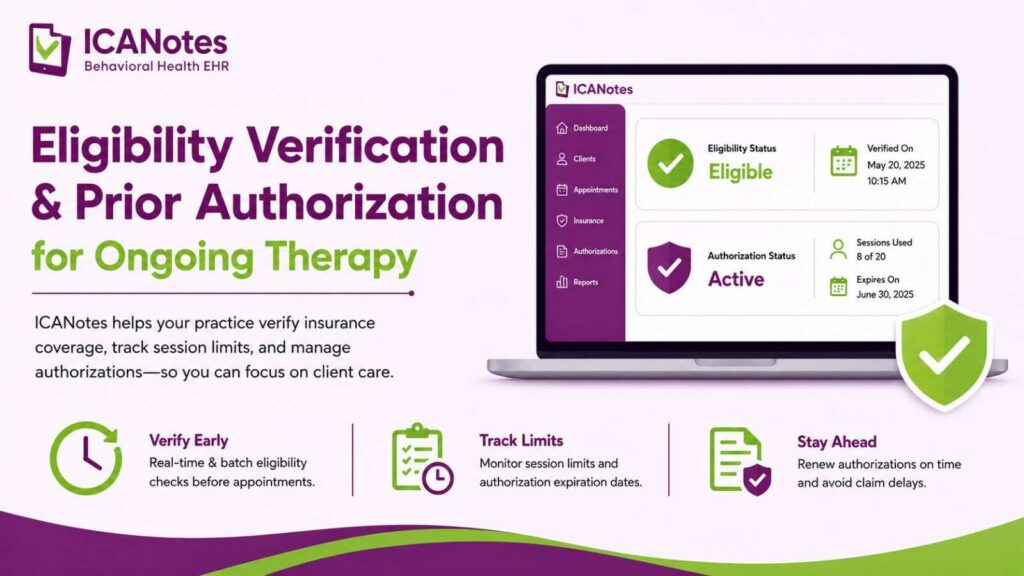
ICANotes supports real-time and batch insurance eligibility verification before scheduled appointments occur. This flags coverage issues early, before claims reach submission entirely. Unlike one-time procedures, ongoing psychotherapy often needs periodic authorization renewals throughout treatment. ICANotes helps practices track session limits and authorization expiration dates across active clients.
Are AdvancedMD, Inovalon, and Waystar Compatible for Integration?
ICANotes connects to external clearinghouses to submit claims electronically to insurance payers. Understanding these integrations helps practices troubleshoot delays and choose the right claims-submission setup.
Inovalon: ICANotes’ Default Clearinghouse
ICANotes’ built-in clearinghouse runs on Inovalon, included automatically with most subscription plans. Inovalon provides claim status reports up until the moment payment posts. Practices must complete a required training session before submitting their first claims batch.
Waystar: A Supported Alternative Clearinghouse
Waystar integrates directly with ICANotes for claims, remittance, and eligibility data exchange. Practices choosing Waystar can also run real-time eligibility, or RTE, requests. Waystar is known for strong revenue cycle reporting, though some users report onboarding delays.
AdvancedMD: EHR-Level Integration, Not a Clearinghouse
Unlike Inovalon or Waystar, AdvancedMD functions as a separate EHR and practice management system. Capterra confirms integration between ICANotes and AdvancedMD, primarily for interoperability rather than claims routing. AdvancedMD now uses Waystar as its own preferred clearinghouse partner as well.
Common Integration Setup Issues
Some clearinghouses don’t automatically send ICANotes the information needed for setup. Practices may need to contact vendors directly or email ICANotes support for assistance. Confirming RTE eligibility support upfront prevents avoidable delays during clearinghouse implementation.
How to Bill Medicare and Medicaid in ICANotes?
Behavioral health claims rarely go straight to a standard commercial payer inside ICANotes. Most mental health claims route through Medicare, state Medicaid, or specialized behavioral health organizations instead.
Billing Medicare Through ICANotes
Medicare reimburses standard time-based psychotherapy codes, alongside psychiatric diagnostic evaluations, at published fee schedule rates. ICANotes generates claims directly from completed notes, supporting standard Medicare fee-for-service billing workflows. Practices should confirm correct place-of-service codes, since telehealth billing uses distinct Medicare requirements.
Billing State Medicaid Programs
Medicaid behavioral health billing varies significantly by state, since many states carve out mental health coverage. Some states manage psychiatric claims directly, while others delegate coverage to managed behavioral health organizations.
What Are MBHOs, and Why Do They Matter for ICANotes Billing?
Managed Behavioral Health Organizations, or MBHOs, administer behavioral health benefits for insurers and Medicaid agencies. Optum Behavioral Health, Magellan, and Carelon are widely considered the industry’s three largest MBHOs.
Evernorth Behavioral Health, Cigna’s behavioral health subsidiary, also administers benefits under several commercial contracts. Each MBHO uses its own payer IDs, portals, and claim-routing rules within ICANotes.
A Real Example: The Optum-to-Carelon Maryland Transition
In December 2024, Optum Maryland Medicaid behavioral health claims transitioned entirely to Carelon instead. Practices needed to update their ICANotes payer ID from OMDBH to BHOMD manually. This kind of MBHO transition illustrates why practices must monitor payer ID changes closely.
Is Your Billing Process Compliant with 42 CFR Part 2 in ICANotes?
Substance use disorder records carry stricter confidentiality protections than standard behavioral health documentation. These federal protections, known as 42 CFR Part 2, directly affect how SUD claims get billed and disclosed. ICANotes practices treating addiction must understand these requirements before submitting claims.
What Changed Under the 2024 Final Rule
As per HHS, SAMHSA finalized updated Part 2 regulations on February 8, 2024, aligning confidentiality rules more closely with HIPAA. This rule took effect April 16, 2024, following a two-year implementation timeline for providers. Enforcement of these updated Part 2 requirements officially began on February 16, 2026.
The New Single-Consent Model for Billing
Patients can now sign one consent authorizing all future treatment, payment, and healthcare operations disclosures. This TPO consent eliminates repeated authorization requests for routine billing and claims processing. Once ICANotes practices receive records under TPO consent, standard HIPAA redisclosure rules generally apply.
Segregation and Documentation Requirements
The Final Rule confirms that separating SUD counseling notes from other records isn’t required. However, SUD counseling notes analyzing therapy sessions still need separate, specific patient consent. Role-based access controls remain a prudent safeguard, even without mandatory record segregation.
What This Means for ICANotes Billing Workflows
Every disclosure made under written consent must include a specific Part 2 confidentiality notice. Claims submitted for substance-use treatment should reflect updated consent language and documentation standards. Practices should confirm their ICANotes consent forms and billing workflows reflect these 2024 updates.
What are the Common ICANotes Claim Denials and How to Resolve Them?
Mental health claims face significantly higher denial rates than standard medical claims industry-wide. Behavioral health claims are denied 50% to 85% more often than comparable medical claims. Understanding these common causes helps ICANotes users resolve denials faster and prevent repeat rejections.
Why Behavioral Health Denials Happen So Often
Every therapy session must independently justify its own medical necessity, unlike most medical specialties. Payers increasingly use AI-driven claims review to flag weak or duplicated progress notes. The table below breaks down the most frequent causes and practical fixes inside ICANotes.
| Denial Cause | Approximate Share | How to Resolve It in ICANotes |
|---|---|---|
| Eligibility or Coverage Issues | 25% of denials | Run real-time eligibility verification before every scheduled session |
| Missing or Invalid Prior Authorization | 20% of denials | Track authorization expiration dates and session limits proactively |
| Insufficient Medical Necessity Documentation | 15% of denials | Use content-engine templates to document symptoms, goals, and progress |
| Incorrect CPT Codes or Time-based Mismatches | Common, high-frequency | Confirm session time matches the CPT code before submitting claims |
| Wrong Modifiers or Place-of-Service Codes | Common, preventable | Verify telehealth modifiers and POS codes match payer requirements |
| Duplicate Claims or Timely Filing Errors | Common, preventable | Check the Billing Report’s claim history log before resubmitting |
Turning Denials Into Successful Appeals
Most behavioral health denials, once appealed properly, actually get overturned and paid. Reviewing the specific denial code inside ICANotes’ claim status helps identify the correct fix. Resubmitting corrected claims quickly protects cash flow and reduces days in accounts receivable.
Is NexTrust the Best Choice for ICANotes Billing?
ICANotes partners with NextTrust to handle patient statements, payments, and collections through BillFlash. This integration connects directly with the ICANotes billing services applications to reduce manual work. BillFlash combines mailed statements with electronic billing, so patients can pay online conveniently.
Since balances sync automatically, practices avoid managing separate billing and collections vendors. BillFlash Integrated Collections also lets practices convert past-due balances into recovered payments directly. Staff simply review and approve flagged accounts during regular billing tasks each week.
Should You Bill In-House or Outsource ICANotes RCM?
ICANotes supports both approaches, since its billing module works for self-billing or outsourced RCM equally. Choosing between them depends on practice size, staff capacity, and billing complexity tolerance.
| Factor | In-House Billing | Outsourced RCM |
|---|---|---|
| Typical Cost | Salary, benefits, and training overhead | 4% to 10% of monthly collections |
| Control | Full direct control over billing decisions | Less direct control, more vendor reliance |
| Behavioral Health Expertise | Depends entirely on staff training | Specialized RCM vendors know payer-specific rules |
| Scalability | Requires hiring as claim volume grows | Scales automatically with collections |
| Denial Management | Often deprioritized during busy periods | Dedicated denial-recovery workflows built in |
Behavioral health billing involves time-based coding, authorization tracking, and heavy documentation requirements. Outsourced RCM vendors like Transcure, specializing in mental health, often improve collection rates and reduce denial rates measurably. Smaller practices without dedicated billing staff frequently benefit most from outsourcing this workload.
What Billing and RCM Features Are Included in ICANotes Pricing?
It uses a tiered pricing structure based on clinician type, hours, and prescribing status. Understanding this pricing model from the given table helps practices budget accurately for billing and RCM features:
Full-Time Clinician Plans
| Plan | Monthly Price | What’s Included |
|---|---|---|
| Notes Only | $55/mo | Unlimited notes, non-prescribers only |
| Non-Prescribing | $75/mo | Adds scheduling, portal, billing tools |
| Prescribing | $213/mo | Adds e-prescribing, lab integration |
Part-Time Clinician Plans
| Plan | Monthly Price | What’s Included |
|---|---|---|
| Notes Only | $35/mo | 60 notes/month, non-prescribers only |
| Non-Prescribing | $45/mo | 60 notes/month, adds scheduling and billing |
| Prescribing | $138/mo | 100 notes/month, adds e-prescribing |
Along with that, a one-time $99 activation fee applies to all Prescribing plans at signup.
ICANotes Billing FAQs
Does ICANotes Handle the Full Insurance Claims Lifecycle?
Yes, ICANotes supports electronic submission, clearinghouse scrubbing, and eligibility verification within one platform. It also processes ERA and EOB payments, plus payment posting, without external billing tools.
Can ICANotes Bill Medicaid and Medicare Claims?
ICANotes meets Medicaid and Medicare documentation requirements, including specific billing rules for behavioral health providers. The platform supports meaningful use standards required under federal EHR incentive programs.
Does ICANotes Support Secondary Insurance Claims?
Yes, ICANotes allows practices to submit and track secondary insurance claims for proper benefit coordination. This ensures practices capture full reimbursement whenever clients carry multiple coverage sources.
Can I Use a Different Clearinghouse Besides Inovalon?
Yes, ICANotes lets practices export billing data through structured reports for external clearinghouse use. This flexibility supports varied practice setups beyond ICANotes’ default clearinghouse integration.