
If you have ever submitted a CMS 1500 claim form and waited weeks for a reimbursement that never came, you already know the frustration this process can cause. The denial letter arrives, the billing staff scrambles, and the patient ends up caught in the middle of a paperwork dispute they did not start. It is one of the most avoidable situations in medical billing, yet it happens every single day across practices of every size.
Understanding what CMS 1500 is and how to fill it out correctly is not just a clerical skill. It is a financial competency that directly affects how quickly and consistently your practice gets paid. This guide walks through the most common mistakes billers and providers make on the CMS 1500 claim form, and more importantly, how to avoid each one before the claim ever leaves your office.
What is CMS 1500, and Why Does It Matter So Much
The CMS 1500 form, officially called the CMS-1500 claim form, is the standard paper form used by non-institutional providers to bill Medicare, Medicaid, and most private insurance carriers. Developed by the Centers for Medicare and Medicaid Services, it serves as the universal document that translates a clinical encounter into a billable claim. Understanding the role of CMS in medical billing is fundamental, as it establishes the strict data standards that govern how healthcare providers are reimbursed.
The form contains 33 numbered fields, each requiring precise and complete information. Insurance payers use automated claim adjudication systems that flag even minor discrepancies. A single transposed digit in a member ID number or a missing modifier on a procedure code can trigger an automatic denial, sending the claim back to square one. According to the American Medical Association, claim denials cost the healthcare industry billions of dollars annually, with a significant portion stemming from preventable data entry errors on forms like the CMS Form 1500.
This form is used by physicians, nurse practitioners, therapists, independent laboratories, and other non-hospital providers. If your practice submits paper claims or if your clearinghouse translates electronic claims into the 837P transaction set, the data originates from the same field structure found on the CMS-1500 claim form.

A Brief Overview of the CMS 1500 Claim Form Structure
Before diving into the specific mistakes, it helps to understand how the form is organized. The CMS 1500 form is divided into two main sections. The top half captures patient and insurance information, and the bottom half captures provider, service, and billing data.
Key sections include:
- Fields 1 through 13: Patient and insured information, including insurance type, member ID, patient name, date of birth, address, and coordination of benefits data.
- Fields 14 through 23: Condition-related information, including date of illness or injury, referring provider details, hospitalization dates, and prior authorization numbers.
- Fields 24A through 24J: The service line detail, where you enter dates of service, place of service codes, procedure codes, modifiers, diagnosis pointers, charges, units, and rendering provider NPI.
- Fields 25 through 33: Provider and billing information, including federal tax ID, accept assignment indicator, total charges, and billing provider address and NPI.
Each one of these sections carries weight. Mistakes in any area can cause delays, partial payments, or outright denials. Now, let us look at what goes wrong most often.
Common Mistakes in Filling CMS 1500 Form
The mistakes listed below are drawn from patterns that billing professionals encounter repeatedly. None of them is an exotic error. They are everyday oversights that carry real financial consequences when left unchecked.
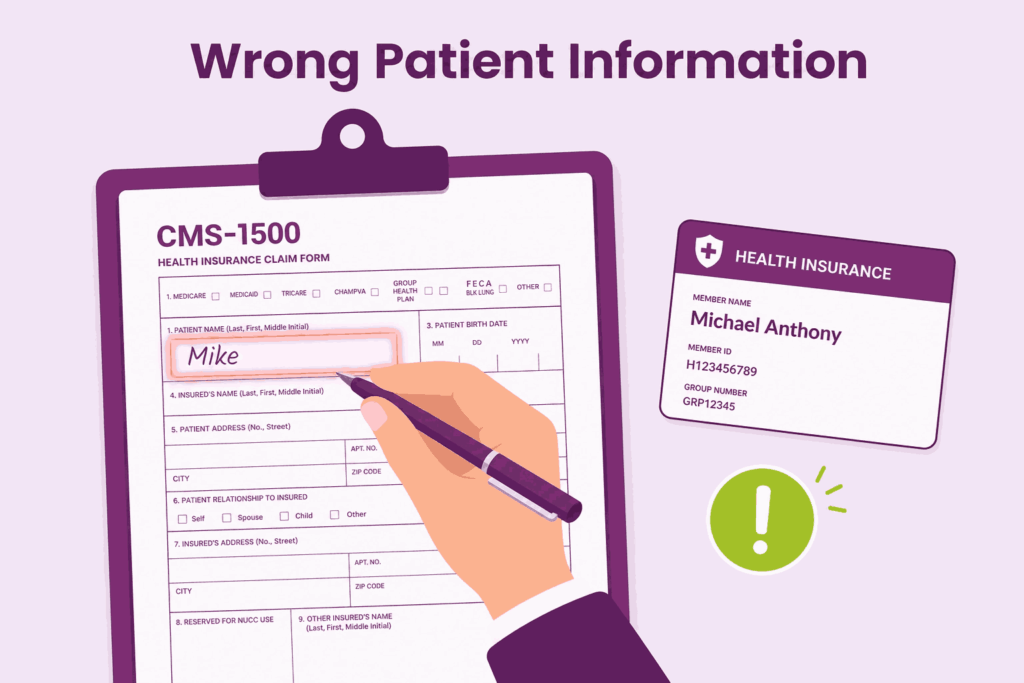
1. Entering the Wrong or Incomplete Patient Information in Fields 2 Through 8
This one seems obvious, but it remains one of the most frequent reasons for claim rejection. Field 2 requires the patient’s name exactly as it appears on their insurance card, not a nickname or a name as the patient verbally provided it. A patient who goes by “Mike” may have “Michael Anthony” listed on the card. That discrepancy alone can cause a mismatch in the payer’s system.
Date of birth in Field 3 must match the payer’s records down to the correct date format. Medicare requires MM DD YYYY with no slashes, while some private payers use a different format. Field 5 for address must reflect the patient’s current address, which matters for coordination of benefits and correspondence. Always verify patient demographic information at every visit, not just at initial registration.
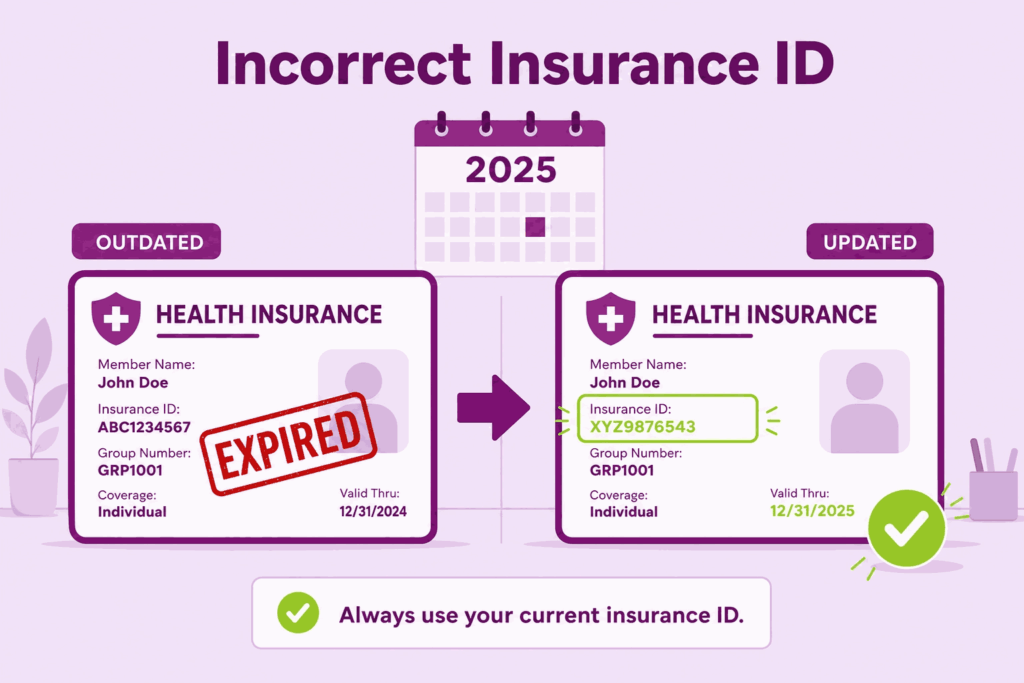
2. Using an Incorrect or Outdated Insurance ID Number in Field 1a
Field 1a is where you enter the insured’s ID number exactly as it appears on the insurance card. This sounds straightforward, but the error rate here is surprisingly high. Insurance companies update member ID numbers when plans change at the start of the year, and front desk staff may still be pulling information from last year’s card stored in the system.
For Medicare patients, the Medicare Beneficiary Identifier (MBI) replaced the Social Security-based Health Insurance Claim Number (HICN) several years ago. Some practices still occasionally see old HICN numbers entered in claims, which results in immediate rejection. Train your front desk staff to physically verify the current card at each visit, especially at the beginning of every benefit year.
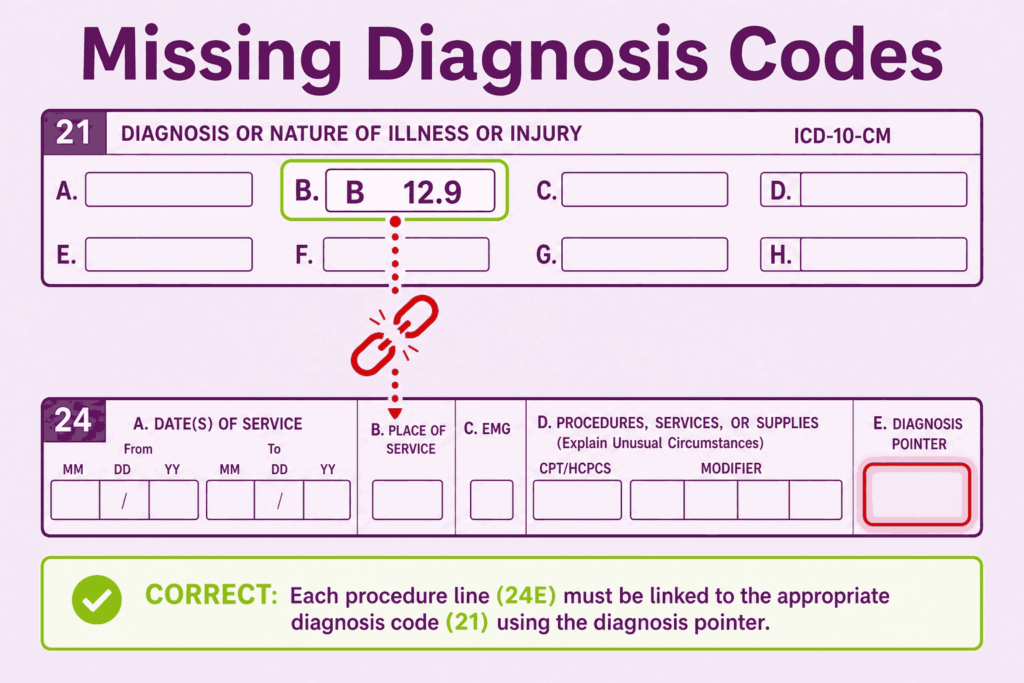
3. Missing or Incorrect Diagnosis Codes in Fields 21 and the Diagnosis Pointer in Field 24E
Field 21 allows up to twelve ICD-10-CM diagnosis codes. The most common mistakes here involve using outdated codes that have been deleted from the current code set, using unspecified codes when a more specific code is available and required, and failing to list the primary diagnosis as the first code in position A.
Field 24E requires you to link each service line to one or more diagnosis codes from Field 21 using the letter designations A through L. If a procedure is performed to address diagnoses B and C, you must enter those letters in Field 24E for that service line. Leaving this field blank or pointing to the wrong diagnosis code creates a medical necessity mismatch. Patients need to see a logical connection between what was diagnosed and what was done.
This is particularly critical for specialty practices. An orthopedic surgeon billing for a knee procedure must point to a knee-related diagnosis, not a general musculoskeletal code from another body region. Payers audit these relationships closely.
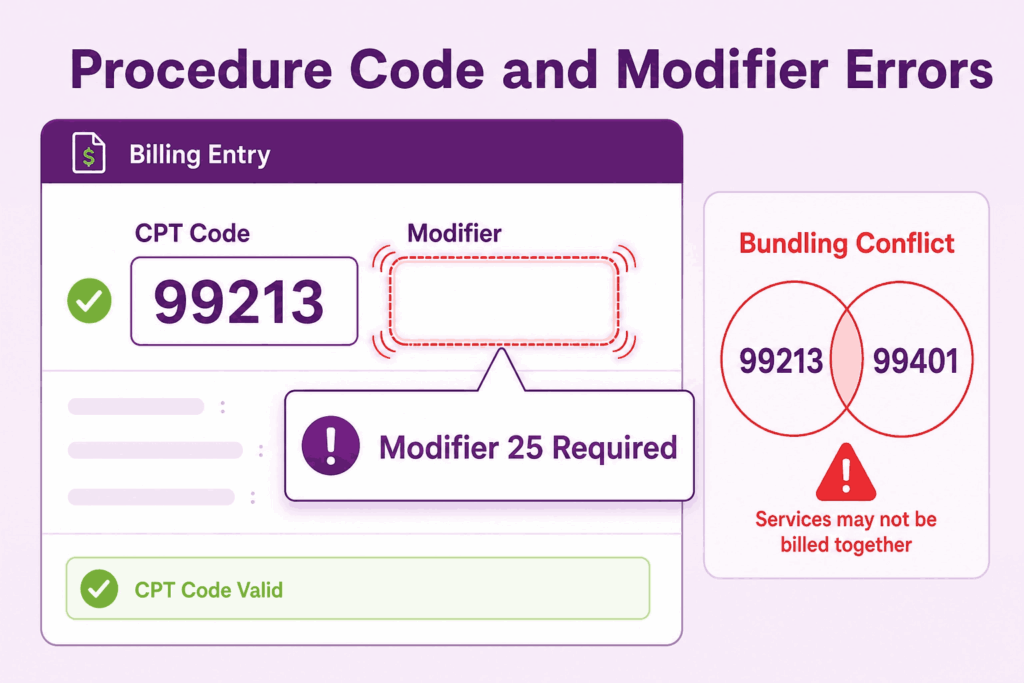
4. Errors in Procedure Codes and Missing Modifiers in Field 24D
Field 24D is where you enter the CPT or HCPCS procedure code for each service rendered. The mistakes here range from using an incorrect code that does not match the documentation to using a code that has been bundled with another code already billed on the same claim. Payer edits, such as the National Correct Coding Initiative (NCCI) edits, identify bundled codes automatically and deny one of them.
Modifiers are equally important. They communicate to the payer that a service was distinct, bilateral, performed by a different provider, or subject to special circumstances. A modifier 25 tells the payer that a significant and separately identifiable evaluation and management service was performed on the same day as a procedure. Without it, the E&M service may be denied as part of the global surgical package. A modifier 59 establishes that two procedures are distinct and should not be bundled.
Modifier misuse is also a compliance risk. Adding modifiers to bypass edits without clinical justification is considered improper billing and can trigger audits. Always make sure the medical record supports the modifier being used.
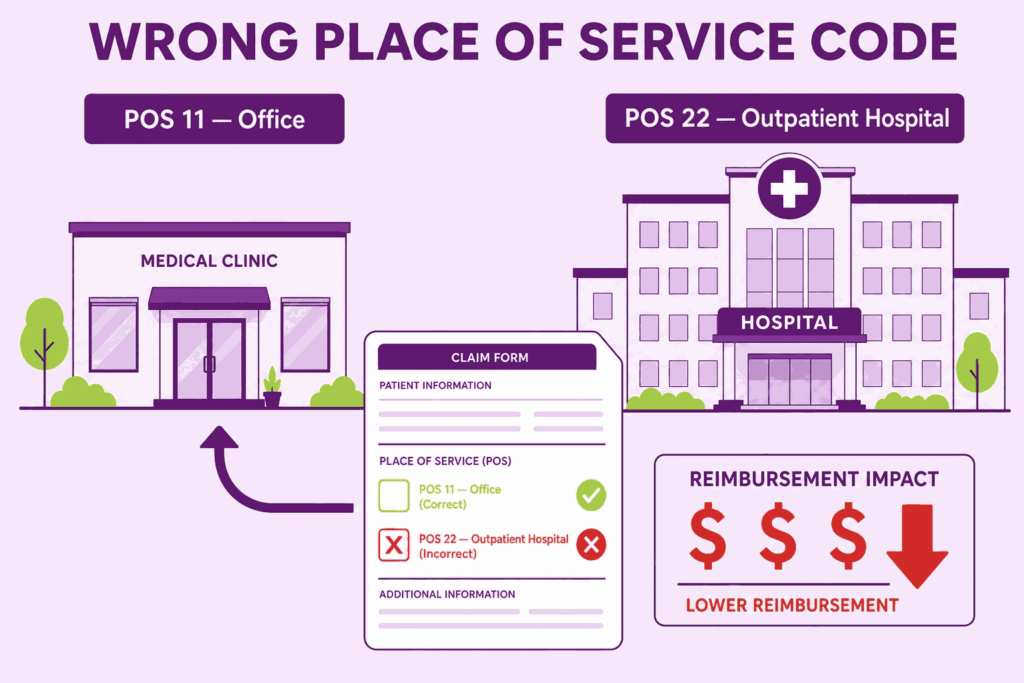
5. Incorrect Place of Service Code in Field 24B
The place of service code in Field 24B tells the payer where the service was rendered. This affects reimbursement rates significantly. Services provided in a facility setting, such as a hospital outpatient department, are reimbursed at a lower rate because the facility receives a separate payment. Services provided in a non-facility setting, such as an independent office, are reimbursed at a higher rate because the provider absorbs overhead costs. A common mistake is billing with POS 11 (office) when services were actually rendered at a hospital outpatient department (POS 22).
This results in an overpayment that the payer may later recoup during an audit. Conversely, billing POS 22 when services were rendered in your own office means you are leaving reimbursement on the table. Verify the correct POS code against the actual location of each service.
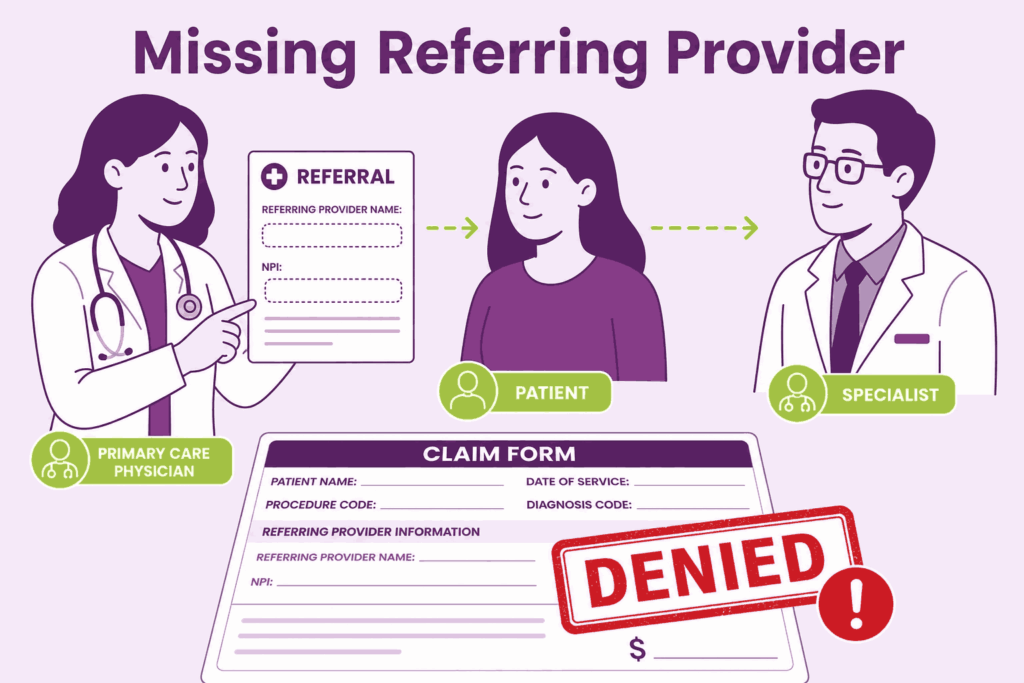
6. Omitting the Referring Provider Information in Fields 17 and 17a/17b
Many payers require a referring provider’s name and NPI when a patient is being seen by a specialist or when a service requires a referral authorization. Field 17 captures the referring provider’s name, and Fields 17a and 17b capture the qualifier and NP, I, respectively. Omitting this information when a payer requires it results in a denial with a remark code indicating the missing referral data.
For Medicare claims specifically, the ordering and referring provider’s NPI must be included whenever the claim involves ordered or referred services such as labs, imaging, physical therapy, or specialist consultations. The rendering provider and the referring provider are two different individuals, and both must be accurately identified.
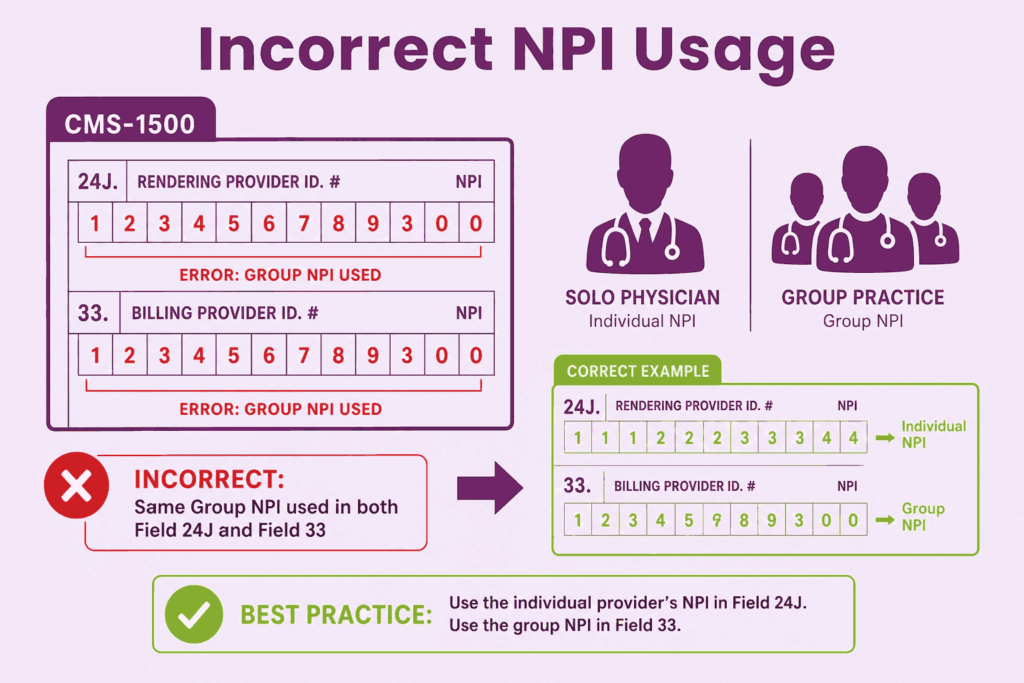
7. Incorrect NPI Usage in Fields 24J, 25, and 33
The National Provider Identifier (NPI) appears in multiple places on the CMS-1500 claim form, and each placement has a specific purpose. Field 24J is for the rendering provider NPI, which identifies who actually performed the service. Field 33a is for the billing provider NPI, which identifies the practice or entity submitting the claim. These are not always the same number.
Group practices often make the mistake of entering the group NPI in Field 24J instead of the individual rendering provider’s NPI. Medicare and many other payers require the individual provider’s NPI in Field 24J to properly attribute the service to the correct clinician. Entering the wrong NPI in any field can trigger a claim rejection or, during audits, raise questions about provider credentialing.
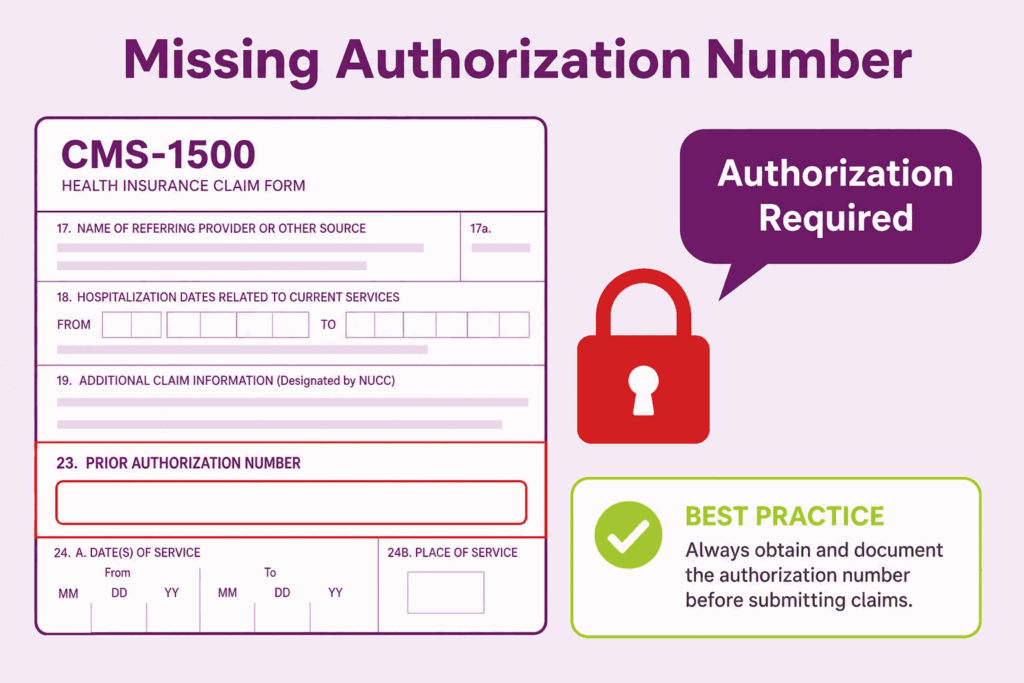
8. Failing to Complete the Authorization Number in Field 23
When a payer requires prior authorization for a service, Field 23 is where that authorization number must appear. Leaving it blank when the payer’s records show that authorization was required will result in a denial. This is especially common with surgical procedures, inpatient admissions, specialty medications, and certain diagnostic tests.
The authorization number must match exactly what the payer issued. Even a transposition of two digits means the payer cannot locate the authorization in their system. Build a pre-claim checklist that verifies the authorization number has been entered before any claim goes out the door. This one step alone can prevent a significant number of denials in practices with high-managed-care contracts.
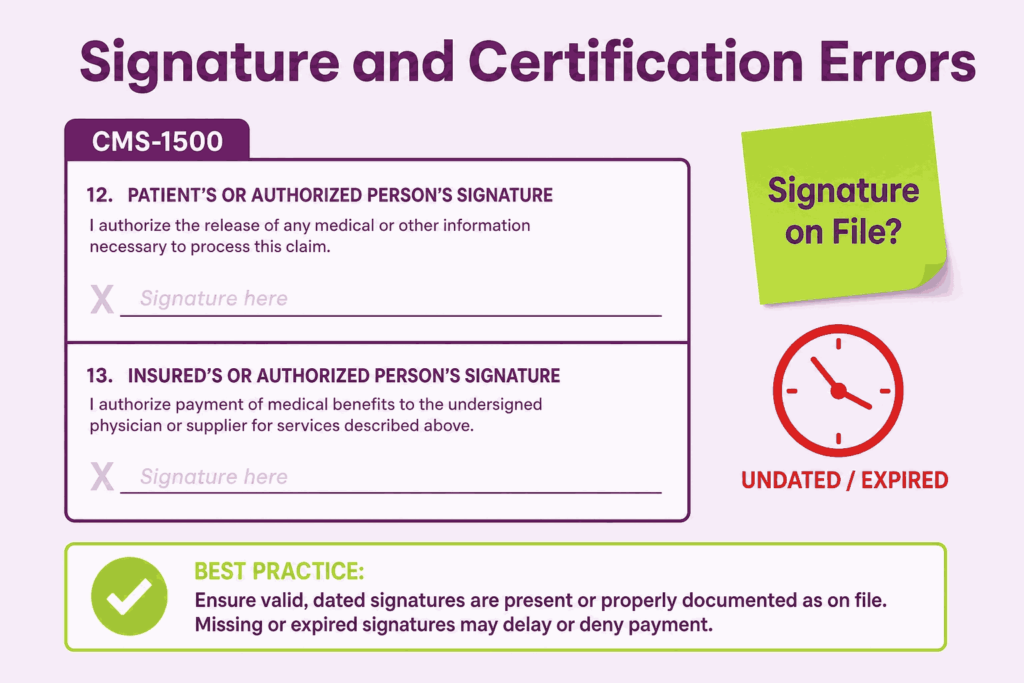
9. Signature and Certification Errors in Fields 12 and 13
Field 12 is the patient authorization signature field, and Field 13 is the assignment of benefits authorization. When submitting paper claims, these fields require either the patient’s actual signature or the words “Signature on File” along with a date, provided your office has a valid signed authorization on record. Submitting a claim with these fields left blank can delay or deny payment.
Many practices use electronic consent forms during patient registration that include these authorizations. Make sure your documentation process records the date the patient signed and that the authorization is broad enough to cover all payers and claim types. An undated or expired signature on file creates the same problem as a missing one.
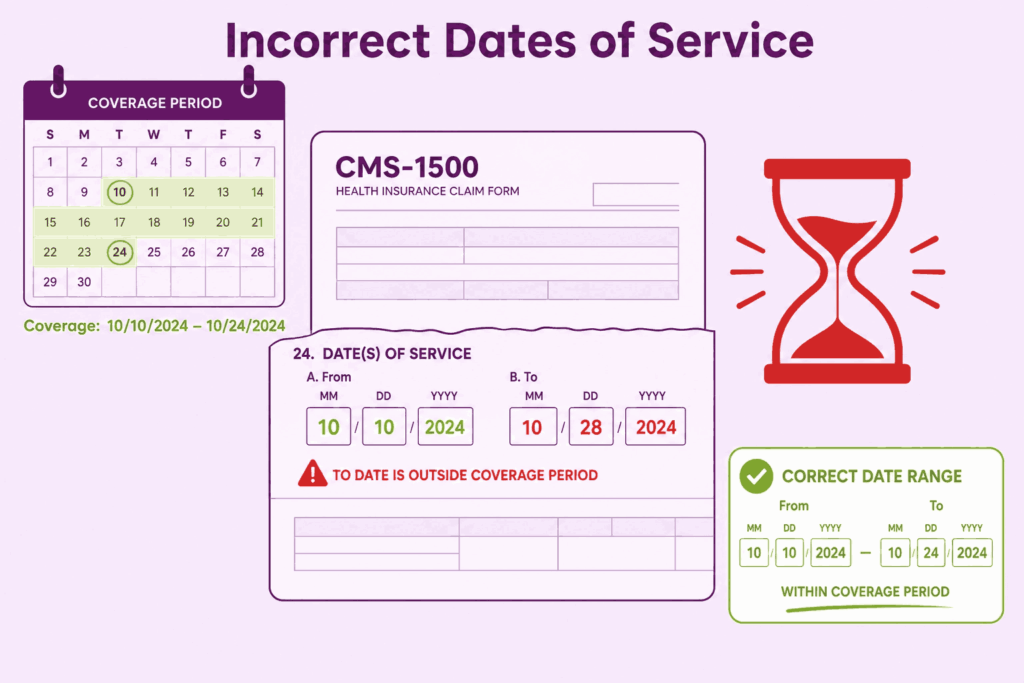
10. Incorrect or Missing Dates of Service in Field 24A
Field 24A captures the from and to dates for each service line. For services rendered on a single day, the from and to dates should be the same. For inpatient or consecutive services spanning multiple days, the date range must accurately reflect the actual service period. Entering a single date when a range is expected, or entering dates that fall outside the plan’s coverage period, results in denial.
Another date-related mistake involves timely filing. Every payer sets a deadline for claim submission after the date of service. Medicare requires claims to be filed within one year of the date of service. Many commercial players have shorter windows of 90 to 180 days. Missing the timely filing deadline results in a denial that is almost impossible to appeal successfully. Tracking service dates against filing deadlines is a basic billing management function that must not be overlooked.
CMS 1500 Claim Form Instructions: A Field-by-Field Review for Accuracy
Following the official CMS 1500 claim form instructions is not optional. These instructions are published by the National Uniform Claim Committee (NUCC) and specify exactly what each field requires. Let us review the most critical field-level instructions that billers frequently misapply.
Field 1: Insurance Type Checkbox
Only one box should be checked. The options are Medicare, Medicaid, Tricare, CHAMPVA, Group Health Plan, FECA/Black Lung, or Other. Checking multiple boxes or leaving it blank confuses the payer’s processing system. Know your primary payer type before the claim is created.
Field 11d: Is There Another Health Benefit Plan
This field is frequently skipped or answered incorrectly. If the patient has secondary insurance, Field 11d must be completed, and the secondary insurance information must be entered in Fields 9a through 9d. Failing to disclose secondary coverage can result in coordination of benefits problems and audit findings. If there is no secondary plan, mark “No” explicitly.
Field 24G: Units
Field 24G captures the number of units for each service. For most E&M codes, this is 1. For laboratory panels, each component may have its own unit count. For time-based services like physical therapy, the number of units reflects the number of 15-minute intervals. Entering the wrong number of units either overstates or understates the service, leading to payment discrepancies or recoupment.
Fields 27 and 29: Assignment of Benefits and Amount Paid
Field 27 asks whether the provider accepts assignment. For Medicare, accepting assignment means agreeing to the Medicare-approved amount as full payment. Marking “No” for Medicare when you are a participating provider creates a conflict that delays payment. Field 29 should reflect any payment already received from the patient or another payer. Leaving it blank when a payment has been received misrepresents the outstanding balance.
CMS 1500 Form Example: What a Correctly Filed Claim Looks Like
Consider a straightforward CMS 1500 form example involving a primary care physician billing Medicare for an established patient office visit with lab work ordered.
This type of completed CMS 1500 form example gives billing staff a concrete reference point. Using a sample claim that reflects your most common service types as an internal training tool reduces errors significantly over time.
How to Build a Claim Audit Process That Prevents These Mistakes
Knowing the mistakes is only half the solution. Preventing them requires a systematic approach that does not rely on any single person catching every error before submission.
1. Run Claims Through a Clearinghouse Before Submission
A good clearinghouse runs thousands of edits against each claim before it reaches the payer. It catches NPI mismatches, invalid procedure codes, missing modifiers, and formatting errors that your billing software may not flag. For many practices, partnering with professional medical billing services is the easiest way to automate this process, as they leverage advanced scrubbing tools to catch mistakes before submission.
2. Create a Pre-Billing Checklist Specific to Each Payer
Medicare has different requirements than Medicaid. Blue Cross has different requirements than Aetna. Build payer-specific checklists that your billing staff review before submitting each batch. These checklists should include authorization verification, correct NPI placement, modifier requirements, and timely filing windows. Investing one afternoon in creating these checklists will save hours of rework every month.
3. Conduct Monthly Denial Analysis
Review your denial reports every month and categorize denials by reason code. If a specific reason code keeps appearing, it points to a systemic error in your process, not just an occasional mistake. Address the root cause rather than just resubmitting the claim. Patterns in denial data tell you exactly where your billing workflow is breaking down.
4. Train Staff on Updated NUCC Instructions Annually
The NUCC updates the CMS 1500 claim form instructions periodically. Code sets change. Place of service codes are added or revised. Modifier definitions shift. Annual training that incorporates these updates keeps your team aligned with current payer expectations and regulatory requirements. Outdated knowledge is one of the quieter drivers of billing errors.
Frequently Asked Questions
What is the CMS 1500 Form Used For?
The CMS 1500 form is used by non-institutional providers (physicians, nurse practitioners, therapists, and independent laboratories) to bill Medicare, Medicaid, and most private insurance carriers for professional services rendered to patients.
How Many Fields does the CMS 1500 Claim Form Have?
The CMS 1500 form contains 33 numbered fields, each requiring precise and complete information for successful claim processing and reimbursement.
What is the Difference between Field 24J and Field 33a on the CMS 1500?
Field 24J is for the rendering provider NPI (who actually performed the service), while Field 33a is for the billing provider NPI (the practice or entity submitting the claim). These are not always the same number, especially in group practices.
Why do CMS 1500 Claims Get Denied even When Coding is Correct?
Claims often get denied due to missing modifiers, incorrect diagnosis pointers, invalid place of service codes, missing prior authorization numbers, or incorrect NPI usage, even when the procedure codes themselves are correct.
How can I reduce CMS 1500 Claim Denials in My Practice?
Run claims through a clearinghouse, create payer-specific pre-billing checklists, conduct monthly denial analysis, and train staff annually on updated NUCC instructions. Alternatively, many practices outsource their revenue cycle management to specialized medical billing companies to guarantee compliance and reduce administrative burdens.