ModMed features span the EMA EHR, practice management, patient engagement, payments, and AI tools. Formerly Modernizing Medicine, this cloud-based specialty platform is trusted by nearly 50,000 providers today. The ModMed EMR is EMA, short for Electronic Medical Assistant, a specialty-specific record system.
Scribe 2.0 from ModMed listens to visits and suggests ICD-10 codes for provider review. Beyond charting, ModMed Practice Management, ModMed Pay, and a Certified FHIR API connect operations. Practices want to know which ModMed features come included and which carry extra fees.

This guide explains each ModMed EHR module, AI tool, interoperability standard, and extra cost. Transcure also supports ModMed practices through certified billers who work inside the existing system.
What Is ModMed, and How Is the Platform Organized?
Built for specialty practices, ModMed is a cloud platform for clinical and financial work. Its flagship ModMed EHR is EMA, short for Electronic Medical Assistant, built for iPads. Gastroenterology groups use gGastro, a GI-specific EHR with connected practice management and billing tools.
Clinical charts link directly to practice management and billing to reduce duplicate data entry. Specialty practices choose this ModMed EMR because templates, content, and workflows match clinical routines. Understanding each product first helps you judge which ModMed features your practice actually needs.
What Products Does ModMed Include?
Seven core products make up the platform, and each one handles a distinct job. Below, the table shows what each product does and which practice areas it covers. Recent additions such as ModMed Scribe and the RCM AI Platform extend this suite.
| Product | Function | What It Covers |
|---|---|---|
| EMA | Specialty EHR | Charting, orders, e-prescribing, and coding suggestions on iPad |
| gGastro | GI-specific EHR | GI content, gScribe, lab interfaces, and endoscopy workflows |
| ModMed Practice Management | Administrative engine | Scheduling, eligibility verification, claim scrubbing, and reporting |
| ModMed Scribe | Ambient AI documentation | Visit notes, orders, and ICD-10 suggestions for provider review |
| ModMed Pay | Payment processing | Text to pay, autopay, and payment plans |
| RCM Services | Outsourced billing | Billing specialists, certified coders, and a client manager |
| Patient Engagement Tools | Patient communication | Kiosk, portal, telehealth, and reminders |
What Is the Difference Between EMA and gGastro?
Most supported ModMed specialties use EMA, while gGastro serves only gastroenterology practices and ASCs. Both are cloud-based EHR platforms that practicing physicians helped design for their own specialty. Documentation content, lab interfaces, and endoscopy tools differ because GI work follows distinct routines.
gGastro includes gScribe, an ambient tool that turns GI conversations into suggested visit notes. Over 150 pathology labs interface with gGastro, so practices send orders and receive results. Endoscopy workflows run through gGastro ERW, which adds paperless nursing notes and recall tracking.
Which Specialties Does ModMed Support?
Today, 12 specialties run on ModMed software, and the range spans allergy to urology. Alphabetical order below makes it simple to find your own specialty in the list. Supported practice types range from startups and small groups to large groups and ASCs.
- Allergy
- Dermatology
- ENT
- Gastroenterology
- General Surgery
- OBGYN
- Ophthalmology
- Orthopedics
- Pain Management
- Plastic Surgery
- Podiatry
- Urology
Dermatology practices that need dermatology billing support can keep their existing EMA workflow untouched. Orthopedic groups can add orthopedic billing support for global periods and modifiers inside EMA. GI teams on gGastro can use gastroenterology billing for screening and diagnostic colonoscopy claims.
What EHR Features Does ModMed EMA Offer?
A specialty EHR, ModMed EMA learns each provider’s clinical habits and adjusts its suggestions. Charting happens on iPad, with pre-loaded specialty content and near real-time treatment suggestions. 5 feature areas matter most, and the sections below cover each one in turn.
How Does Touch-Based Charting Work in EMA?
Providers tap, draw, and select findings on an iPad instead of typing full notes. Each selection builds the visit note, so the chart fills in during the exam. Photos can be marked up by hand and saved straight into the patient chart.
Dense notes from past visits become 30-second summaries that prepare providers before each encounter. Directory reviewers on Capterra and Software Advice praise this touch-native design for specialty work.
What Specialty Templates and Adaptive Learning Does EMA Include?
Pre-loaded content, protocols, and templates inside EMA arrive tailored to each field of medicine. Customizable templates let each provider shape documentation around how they practice medicine each day.
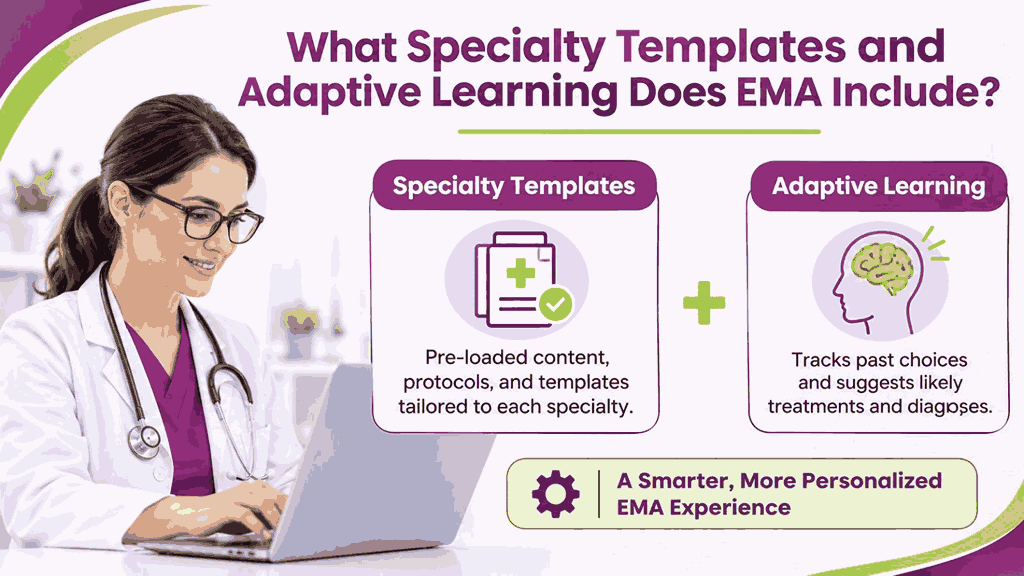
Adaptive learning then tracks a provider’s past choices and surfaces likely treatments and diagnoses. Official ModMed materials say the adaptive engine anticipates the next step during each visit. Reviewers add that office workflows may need updates before the system fits practice routines.
How Does EMA Suggest ICD-10 and Billing Codes?
Coding suggestions built into the chart appear as providers document each clinical exam finding. Ambient capture through ModMed Scribe 2.0 also suggests ICD-10 codes in near real time.
Every suggestion waits for provider review and approval, so judgment stays with the physician. Several Capterra reviewers report manual code edits, so certified coders should audit suggestions regularly.
What Orders, E-Prescribing, and Imaging Tools Does EMA Include?
EMA supports e-prescribing and electronic lab or imaging orders from inside the patient chart. Prescriptions queue from documented clinical intent and reach preferred pharmacies directly in one click. Lab connections run both ways, so providers send photos and notes, then receive results.
Image management stores annotated specialty photos, and orthopedics adds cloud PACS with HL7 worklists. Add-on pricing for image tools may vary, so confirm inclusions before signing any contract.
Does ModMed Have a Mobile EHR App?
Yes, ModMed offers a mobile EHR for providers and a separate patient mobile app. GetApp lists Android, iPhone, and iPad support, so providers can chart on common devices. One Capterra reviewer notes that visit notes cannot be started on the phone app.
How Does ModMed Scribe Work Inside the AI-Powered Practice?
During each visit, ModMed Scribe listens to the conversation and drafts notes inside EMA. Natively built into EMA, it was the first delivery in ModMed’s AI-Powered Practice strategy. Additional AI assistants now handle faxing, message routing, denial review, and revenue cycle workflows.
What Is ModMed Scribe 2.0?
Inside EMA, ModMed Scribe 2.0 captures natural patient conversations and suggests structured clinical notes. Billing codes arrive alongside proposed prescriptions, lab orders, and patient education for provider review. Final approval always rests with the provider, who reviews every suggestion after the visit.
Training data from over 750 million de-identified encounters shapes how it understands each specialty. Synonym libraries written by practicing physicians help it recognize terminology unique to each field. Usage has passed 2,500,000 patient visits, and ModMed reports an A+ rating from KLAS.
gScribe serves gastroenterology and adds HPIs, ICD-10 codes, and care plans to suggested notes. Competitor analysis notes that the tool works inside EMA only and lacks multi-language support. Groups with visits outside EMA should test a standalone scribe against their real workflows.
What Can ModMed Scribe Draft Beyond Visit Notes?
Drafts reach prescriptions, lab orders, counseling, procedures, and surgical orders within the same visit. Patient education handouts are suggested as well, so providers avoid hunting for materials manually. Suggested ICD-10, E&M, and CPT codes appear throughout the encounter instead of after hours.
Note finalization often takes minutes, which helps clinicians leave the clinic with documentation complete. At MOMENTUM 2026, ModMed previewed Smart Merge, AI Scheduling, and an AI Clinical Summary. Buyers should confirm release dates with ModMed, because previewed tools may reach practices gradually.
Which AI Tools Support Front Desk and Billing Teams?
Enhanced Faxing suggests patient matches and categories for incoming faxes, which reduces manual sorting. Message Routing categorizes patient messages and forwards each one to the appropriate team inbox. Denial Assessment flags potential claim denials before they happen, so billing teams avoid bottlenecks.
Announced August 4, 2026, the RCM AI Platform places AI agents beside billing teams. Capabilities include AI RCM Agents, an AI Workflow Manager, and an AI Billing Assistant. Human oversight stays central, and ModMed describes a human-in-the-loop design for revenue cycle teams.
Portions already run inside ModMed RCM Services, which serves practices that choose managed billing. Self-managed practices get a limited early adopter program that ModMed scheduled for Q4 2026. Customer availability expands in 2027, so practices evaluating ModMed should plan around that timeline.
What Practice Management and Payment Features Does ModMed Provide?
Front-office teams run scheduling, billing, documents, and reports from the ModMed practice management hub. Payments flow through ModMed Pay, which syncs each transaction to the patient account automatically. Exam findings flow into billing inside one system, so staff avoid duplicate data entry.
How Does ModMed Handle Scheduling and Eligibility?
Appointment Finder pinpoints time slots based on criteria that schedulers select for each patient. Waitlist tools add patients automatically, which helps practices fill canceled slots without extra calls. Online self-scheduling lets patients book visits themselves, which helps reduce no-shows for the practice.
Automated eligibility verification searches run before appointments, so staff catch coverage problems before visits. Real-time checks reduce front desk friction because patients arrive with already verified insurance details. Eligibility results then feed claim accuracy, since clean coverage data supports first-pass claim acceptance.
What Is ModMed Pay?
Integrated payment processing arrives through ModMed Pay, which connects patients, providers, and financial institutions. Text links, quick pay pages, portal payments, kiosk payments, and terminals give patients choices. Cards on file support autopay and payment plans, with tokens replacing stored card numbers.
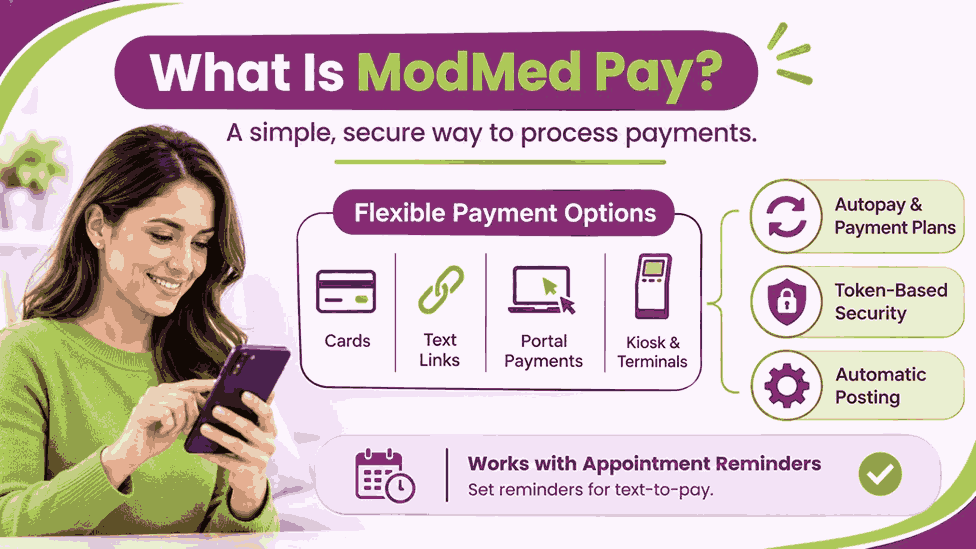
Posting happens automatically at the line item level, which reduces manual work for staff. Reminder setup matters because text-to-pay depends on the ModMed Appointment Reminders product. After a decline, ModMed Pay checks with the issuing bank for updated card details.
Which Billing Tools Are Built Into ModMed?
Claims move through a clearinghouse interface, customizable scrubbing rules, and automated claim file submission. Timely filing reminders and remittance advice posting keep payer follow-up organized for billing staff. Detailed workflows for modifiers, denials, and setup live in the full ModMed billing guide.
What Patient Engagement Features Does ModMed Offer?
Digital intake, reminders, portal access, and video visits form the ModMed patient engagement suite. Klara powers the messaging layer, which turns phone volume into convenient two-way text conversations. Direct connections to EMA and ModMed Practice Management keep patient data synchronized across tools.
How Do ModMed Kiosk and Mobile Check-In Work?
Waiting patients fill intake forms on ModMed Kiosk, an iPad app for EMA practices. Entered details load into EMA as pharmacy preferences, histories, medications, allergies, and consent forms. Staff must accept patient entries before they reach the chart, so records stay accurate.
Kiosk checkout lets patients view balances and pay co-pays when ModMed Pay is active. Survey data from ModMed suggests savings of up to 15 minutes per new patient. Mobile Check-In, delivered through ModMed Patient Engagement powered by Klara, lets patients arrive prepared.
Instructions and reminders reach patients ahead of each visit through the same messaging tool. G2 feedback notes that patients finish paperwork before arrival, which also reduces paper use.
What Can Patients Do in the ModMed Portal?
Portal users update their information and sign consent forms before in-person or telehealth visits. Full integration with EMA keeps the portal and the cloud EHR connected for providers. Booking and rescheduling requests arrive through the portal or recall messages with Premium+ Self-Scheduling.
Balances can be viewed and settled inside the portal once ModMed Pay is added. APPatient, a smartphone app for iPhone and Android, offers portal features on mobile devices. AI inside Klara organizes and routes patient messages, which can reduce front desk bottlenecks.
Does ModMed Include Telehealth?
Telehealth capabilities let clinicians launch real-time audio and video visits from the patient chart. Consent signatures and intake updates move through the portal before virtual appointments can begin. Plan details matter, because ModMed lists some modules as optional on certain specialty bundles.
Which Reporting and Analytics Features Does ModMed Include?
Analytics unites clinical, financial, and operational data from the suite in one reporting layer. Standard EMA and Practice Management reports come first, then Analytics extends them with dashboards. Premium Analytics unlocks custom dashboards, so buyers should confirm which plan tier includes them.
What Dashboards and Drill-Down Reports Are Available?
Drill-down starts at an enterprise view and reaches provider, visit, or patient level quickly. Tailored reports let practices track the KPIs tied to their own goals and workflows. Financial views highlight reimbursement trends and coding outliers before they affect practice cash flow.
OBGYN dashboards track delivery methods while orthopedic views drill into diagnoses and imaging orders. Enterprise reporting presents the performance of multiple offices in one centralized dashboard for leaders. Peer and CMS benchmarks add context, and reports export as tables, images, or PDFs.
Does ModMed Support MIPS and Quality Reporting?
MIPS tracking runs inside EMA through a built-in dashboard that estimates each provider’s score. Clients submit MIPS and MVP data directly to CMS through ModMed’s own qualified registry. Average submission time runs 1 to 5 minutes, according to ModMed’s own published figures.
Submission to GIQuIC works inside gGastro and gives GI practices a specialty-specific reporting option. Reporting to ModMed registries may also help practices meet certain bonus Promoting Interoperability measures. Advisory services add MIPS and MVP support, so practices should ask ModMed about scope.
How Does ModMed Handle Interoperability and Integrations?
APIs, HL7 interfaces, lab connections, and a marketplace connect outside systems to ModMed products. Options vary across EMA, ModMed Practice Management, and gGastro, so teams should confirm scope. Cost and contract terms also shape which connections a practice can use each day.
Which APIs and Standards Does ModMed Support?
Outside developers start at ModMed’s synapSYS and API Portal, which documents each connection option. Certified FHIR access follows HL7 FHIR R4 and includes SMART on FHIR app launch. Coverage includes EMA, ModMed Practice Management, ModMed GI, and gGastro, secured with OAuth 2.0.
Bulk data export arrives in NDJSON format, which supports population health insights and research. Compliance extends to USCDI and 21st Century Cures Act requirements for patient data access. Proprietary API access serves EMA and ModMed Practice Management only, so gGastro uses FHIR.
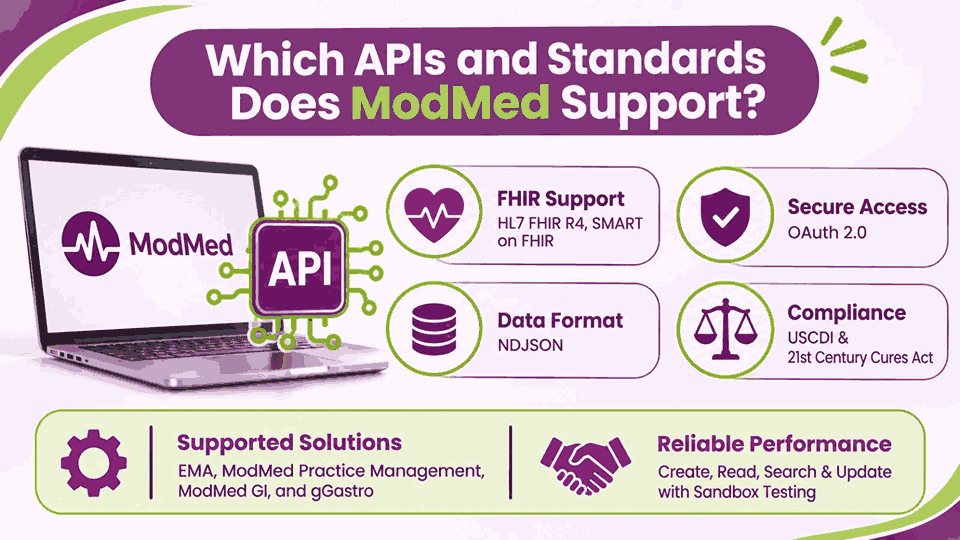
Create, read, search, and update operations run with OAuth2 security and sandbox testing environments. No fee applies to certified APIs, though the Proprietary API carries a separate charge. SSL certificates come from third parties, and clients remain responsible for obtaining their own.
Can ModMed Connect to Labs, Imaging, and Other Systems?
Orders leave EMA with procedure type, location, preliminary diagnosis, ICD-10 code, and order number. Pathology labs must start interface requests, because ModMed requires labs to initiate each connection. Interface fees fall on participating labs, while EMA clients pay nothing for lab interfaces.
Efferent’s eVue cloud PACS integrates with the EHR and supports most DICOM imaging modalities. Listed integrations include certified FHIR APIs, HL7 connections, lab interfaces, and connections to hospitals. Carequality integration extends data exchange for gGastro and ASC users across national health networks.
Marketplace listings connect outside applications, laboratory services, and imaging platforms to the ModMed suite. Vendors building specialty workflows often join the synapSYS partner program, according to integration consultants. Fees for third-party connections vary by vendor, so request written pricing for every interface.
Which ModMed Features Cost Extra?
Base EMA subscriptions come first, since clients must subscribe to EMA before adding modules. Extra costs appear in modules such as ModMed Pay, RCM Services, EPCS, and Pathology. Published disclosures say fees are subject to change, so quotes should capture written terms.
How Does ModMed Price Its Software?
Pricing stays unpublished, so practices request custom quotes based on specialty and chosen modules. Subscriptions are usually calculated per provider each month, according to several independent review sites.
Contracts define user restrictions, product pricing, payment terms, and duration, which vary by client. Third-party review sites estimate prices ranging from roughly $500 to $1,300 per provider monthly. Those figures remain unverified, so treat them as planning ranges rather than actual offers.
Itemized written quotes should cover modules, ModMed Pay fees, RCM Services, and setup costs. Some reviewers also cite multi-year contracts and billing that began before full implementation ended. Request exit terms, user count limits, and renewal terms in writing before you commit.
Which Modules and Fees Sit Outside the Base Quote?
Mandatory disclosures list specific fee categories, and the table below summarizes each one clearly. Sources include ModMed’s EMA disclosures from September 2024, ModMed’s product pages, and practice reviews. Confirm every line in writing, because fees and terms may change after this publication.
| Item | How It Is Priced | What to Confirm |
|---|---|---|
| RCM Services | Custom quote with no public rate | Fee structure, coder scope, and contract length |
| ModMed Pay | Add-on with additional charges | Setup terms and text-to-pay requirements |
| Payment Terminals | Pricing not published | Device cost and number of terminals |
| Card Processing | Additional charges apply | Rates, statement fees, and deposit timing |
| Enhanced Faxing | Reviewers report separate charges | Per provider or volume-based pricing |
| Third-party Interfaces | Vendor fees vary | One-time fees and ongoing fees |
| Proprietary API | Fee applies; certified APIs have none | Access terms and SSL certificate |
| EPCS | Monthly per provider fee plus possible setup fee | Prescriber count and setup charge |
| Pathology Module | One-time and ongoing fees may apply | In-house lab needs |
| Premium Analytics | Certain reports may need additional fees | Tier inclusion and report access |
Implementation can add one-time fees and travel reimbursement, according to ModMed’s own disclosure language. Hardware and internet connections should meet the minimum specifications that ModMed provides upon request. Budget planning should total these items before comparing ModMed with any other EHR vendor.
What Does ModMed Training and Implementation Look Like?
Rollout moves through 3 stages that ModMed’s training page names Adoption, Stabilization, and Optimization. Adoption starts with ModMed U, a self-paced online course that teaches EMA fundamentals first. Stabilization adds focused support for clients, and Optimization brings remote instructor-led training after go-live.
Virtual Adoption Support and Training, or VAST, lets educators coach teams across several locations. Educators assign ModMed Communities materials at each stage, including tutorials, reference guides, and manuals. Knowledge base access continues after go-live, so teams stay current with new EMA releases.
Packages and associated fees depend on the practice, so request implementation pricing in writing. Onsite workshops are recommended for practices with 3+ providers and use scenario-based classroom training. Setup steps for billing and claims workflows appear in the dedicated ModMed billing guide.
How Do ModMed Features Stack Up Against Other Specialty EHRs?
Focus, AI scribes, and pricing models separate ModMed from athenahealth, NextGen, eClinicalWorks, and Tebra. 12 listed specialties anchor ModMed, while the other platforms serve ambulatory or independent practices. Comparison data below traces every figure to a vendor page or a published source.
How Do the Core Features Compare in One View?
All 5 platforms combine an EHR, practice management, and billing tools, but emphasis differs. Charges split because athenahealth bills a collections percentage while ModMed and NextGen quote privately. Physician rates match at $599 for eClinicalWorks and Tebra, according to Transcure’s published comparison.
| Feature | ModMed | athenahealth | eClinicalWorks | Tebra |
|---|---|---|---|---|
| Core Focus | 12 listed specialties | Independent ambulatory practices | Ambulatory practices and health centers | Independent practices |
| Deployment | Cloud with iPad-based EMA | Cloud native | Cloud | Cloud with Windows billing app |
| AI Documentation | ModMed Scribe 2.0 | Ambient Notes | Sunoh.ai | AI Note Assist |
| Pricing Model | Custom per provider quote | Percentage of collections quote | $599 per provider with practice management | $599 per physician |
| Vendor Billing Service | RCM Services | RCM inside athenaOne | RCM as a Service at 2.9% of collections | None, software only |
| Interoperability | Certified FHIR API and HL7 | athenaNet network | QHIN designated January 2025 | SOAP APIs and partners |
| Patient Engagement | Kiosk, portal, and APPatient | athenaCommunicator | healow | Tebra Engage |
| Best Fit | Specialty practices in listed fields | Independent practices wanting one vendor | Health centers and value-based groups | Small practices and behavioral health |
Where Does ModMed Have an Advantage?
Purpose-built specialty content lets providers chart from pre-loaded protocols instead of starting from scratch. Embedded scribing inside EMA needs no separate integration for practices already running ModMed software. Single-vendor coverage links charting, scheduling, billing, payments, engagement, and analytics inside one patient record.
Software Advice lists a 4.5 average rating across 568 reviews and 4.5 for functionality. Quality reporting tools sit inside EMA, including a MIPS dashboard and qualified registry submission. Visual specialties gain annotated photo capture, image management, and PACS integration inside one chart.
Which Feature Gaps Show Up in ModMed Reviews?
Capterra, G2, and Software Advice reviews lead with repeated cost, contract, and support complaints. High per-user pricing, restrictive multi-year contracts, and frequent add-on charges draw repeated reviewer complaints. Response times from support draw criticism among reviewers, especially on technical and billing issues.
Mixed marks appear for reporting, with some reviewers calling the system complex or delayed. Learning curves for advanced features and for training new staff also appear in reviews. Manual code edits, mobile app crashes, and system lag round out the documented complaints.
Many reviewers still praise specialty workflows, so experiences vary by practice and support rep. Reference calls with practices in your specialty help test these gaps before you buy. Written answers on pricing, contract length, and support response targets complete that due diligence.
Which Practices Fit ModMed Best?
Allergy, ENT, GI, ophthalmology, orthopedics, podiatry, urology, and 5 other listed fields suit ModMed. Startups, small groups, mid-size groups, large groups, and ASCs appear on ModMed’s practice list. Multi-location groups wanting EHR, billing, and engagement from one vendor benefit from enterprise reporting.
Who Can Manage ModMed Billing for Your Practice?
Three options manage ModMed billing: in-house staff, RCM Services, or EMR billing services. Independent partners work inside your ModMed PM login, so clinical EMA workflows stay untouched. Team capacity, coding needs, reporting expectations, and cost to collect decide which option fits.
What Does Transcure Handle Inside ModMed?
ELIXA, Transcure’s AI eligibility agent, verifies coverage and benefits before each ModMed patient appointment. PRIA is the AI agent that handles prior authorization for procedures needing payer approval. CODIN, an AI coding agent, reads clinical notes and flags NCCI and MUE violations.
CLAIR acts as an AI agent that scrubs, creates, and submits ModMed PM claims. REMITA, Transcure’s payment posting AI agent, reconciles remittances against ModMed ERA files and ledgers. DEXA, our AI denial agent, spots recurring trends and automates appeals using CARC codes.
Follow-up on aging claims falls to ARIA, an AI agent automating accounts receivable tasks. AAPC-certified billers deliver ModMed billing services by reviewing agent output and working flagged claims. Our BAA and ISO 27001 certification protect patient data while billers work inside ModMed.
What Results Does Transcure Report for ModMed Practices?
Reported results below reflect Transcure’s company-wide performance, since ModMed-specific figures are not published separately. First-pass clean claims reach 98% across Transcure’s billing client base, according to company-reported figures. 1,100+ certified billers and coders support Transcure’s specialty and EMR clients with coding accuracy.
Revenue improvement of 20% appears in Transcure’s reported outcomes across billing and AI workflows. Accounts receivable days average 24 in Transcure’s reported results across its specialty client practices.
Receivable balances shrink 30% in Transcure’s reported results for clients using its AI agents. We charge 5% of collected revenue, with no onboarding fees and coding fully included. Owners can weigh that flat share against ModMed RCM Services, which publishes no rate.